Procurement Intelligence
From funding to purchase. One command center.
Plan major apparatus purchases, explore government and cooperative purchasing contracts, prepare RFPs, compare vendor proposals and prepare purchasing recommendations for approval, all within Capital Command.
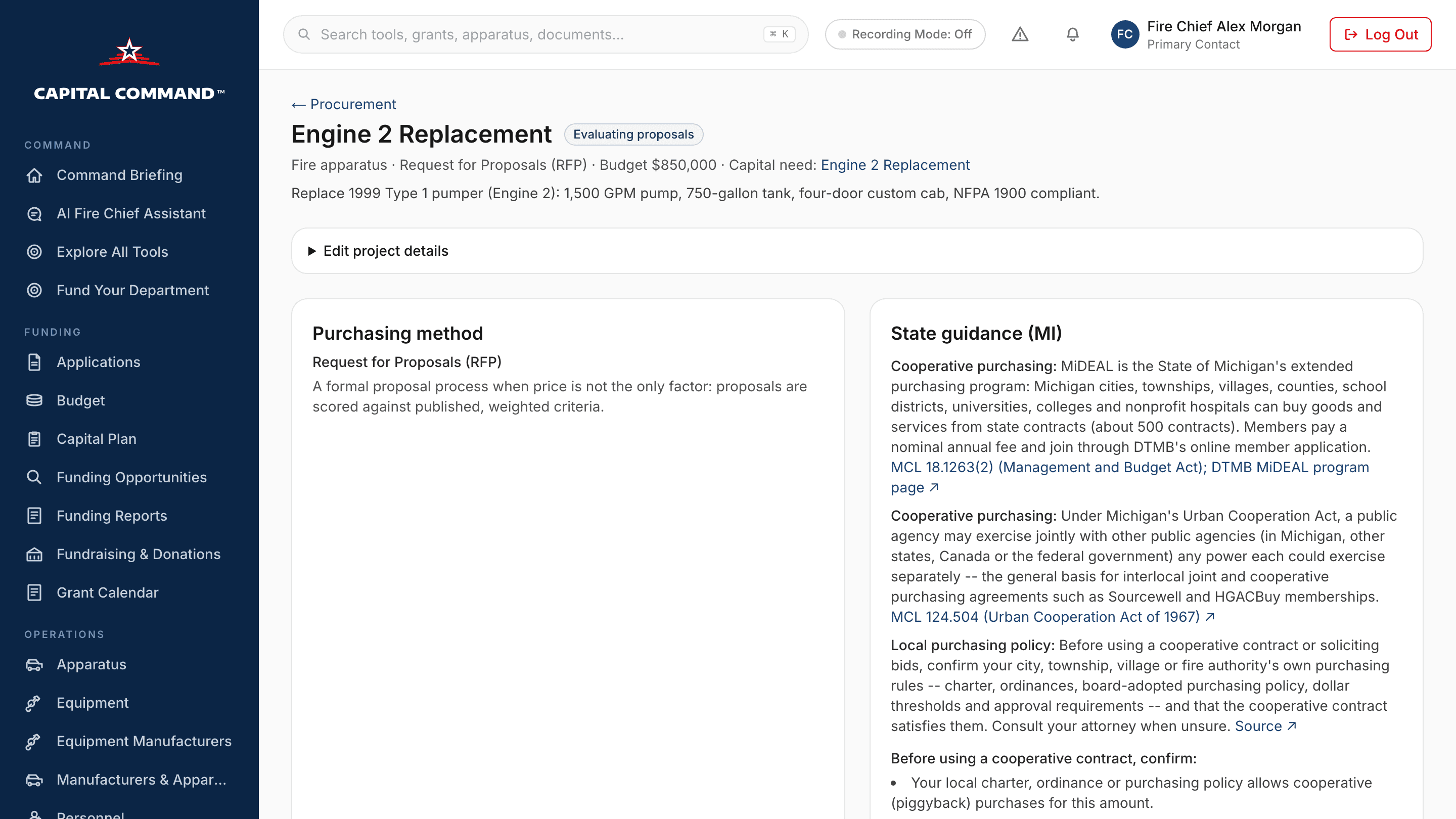
The procurement lifecycle
Every step from capital need to approved purchase.
Apparatus and equipment purchasing
Start a purchase straight from a capital need or an apparatus build. The title, budget and specifications carry over, so nobody re-enters them.
Government and cooperative contracts
Search verified Sourcewell and HGACBuy contracts for apparatus, ambulances, SCBA, PPE, radios and rescue equipment. Each one links to the cooperative's official page and shows its current term, and contracts are re-checked every week.
RFP, IFB and RFQ development
Build solicitations from editable templates, or from an AI draft with Professional, using your own specifications. Every save is a version, an administrator approves it, and it exports to PDF and Word.
Vendor research and proposal comparison
Enter each proposal as written and score it against weighted criteria, with each evaluator scoring separately. Compare price, delivery, warranty and exceptions side by side.
Capital improvement planning
Procurement sits on the same multi-year capital plan as your apparatus and equipment schedule, so each purchase traces back to the plan your council approved.
Funding and procurement together
Link the funding source to the purchase and see the recommended proposal against your budget before you take it to the council.
Recommendations and municipal approval
Export a bid tabulation and evaluation summary for the council packet. Then record the governing body's decision and the purchase order, and add the item to inventory when it arrives.
How it works · an $850,000 engine
Follow one fire engine from need to council approval.
1. Identify the capital need
Cedar Ridge Fire Department's 1999 Type 1 pumper is due for replacement. The capital plan records a documented need with a planning estimate of $850,000, so the purchase starts from the same record the council has already seen.
- Need
- Engine 2 replacement
- Planning estimate
- $850,000
- Source
- Capital plan
Illustrative example with a fictional department. Figures are examples, not quotes, awards or eligibility determinations. Capital Command does not guarantee funding, contract eligibility, or compliance with your state law or local purchasing rules.
Inside the product
The real screens your department uses.
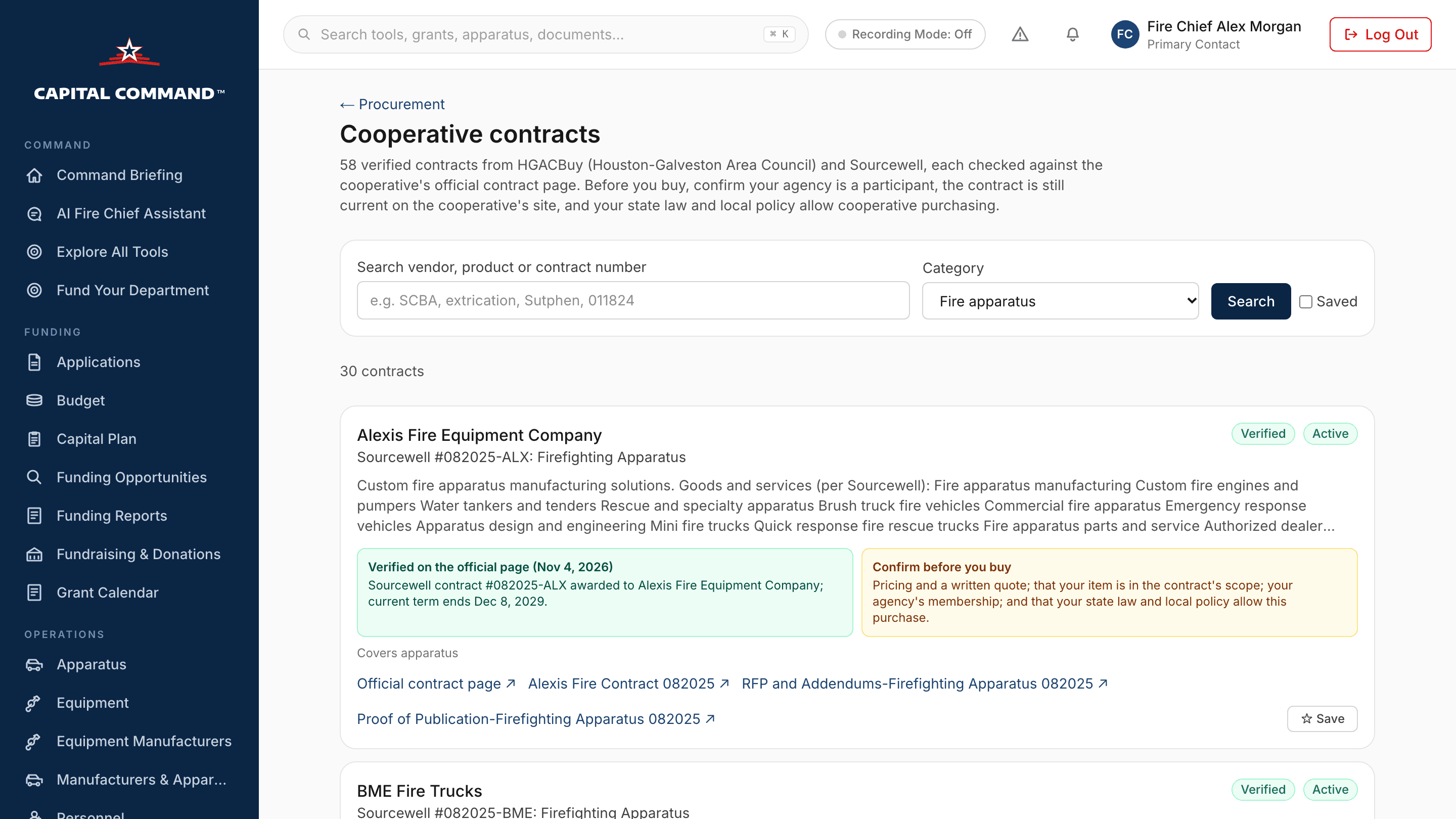
Verified cooperative contracts
Contracts that match the purchase, each with the cooperative's contract number, the awarded vendor, the current term and a link to the official page. Save one to the project or choose it as the purchasing method.
Finding a contract is not the same as being eligible to use it. Every contract carries a checklist of what to confirm first.
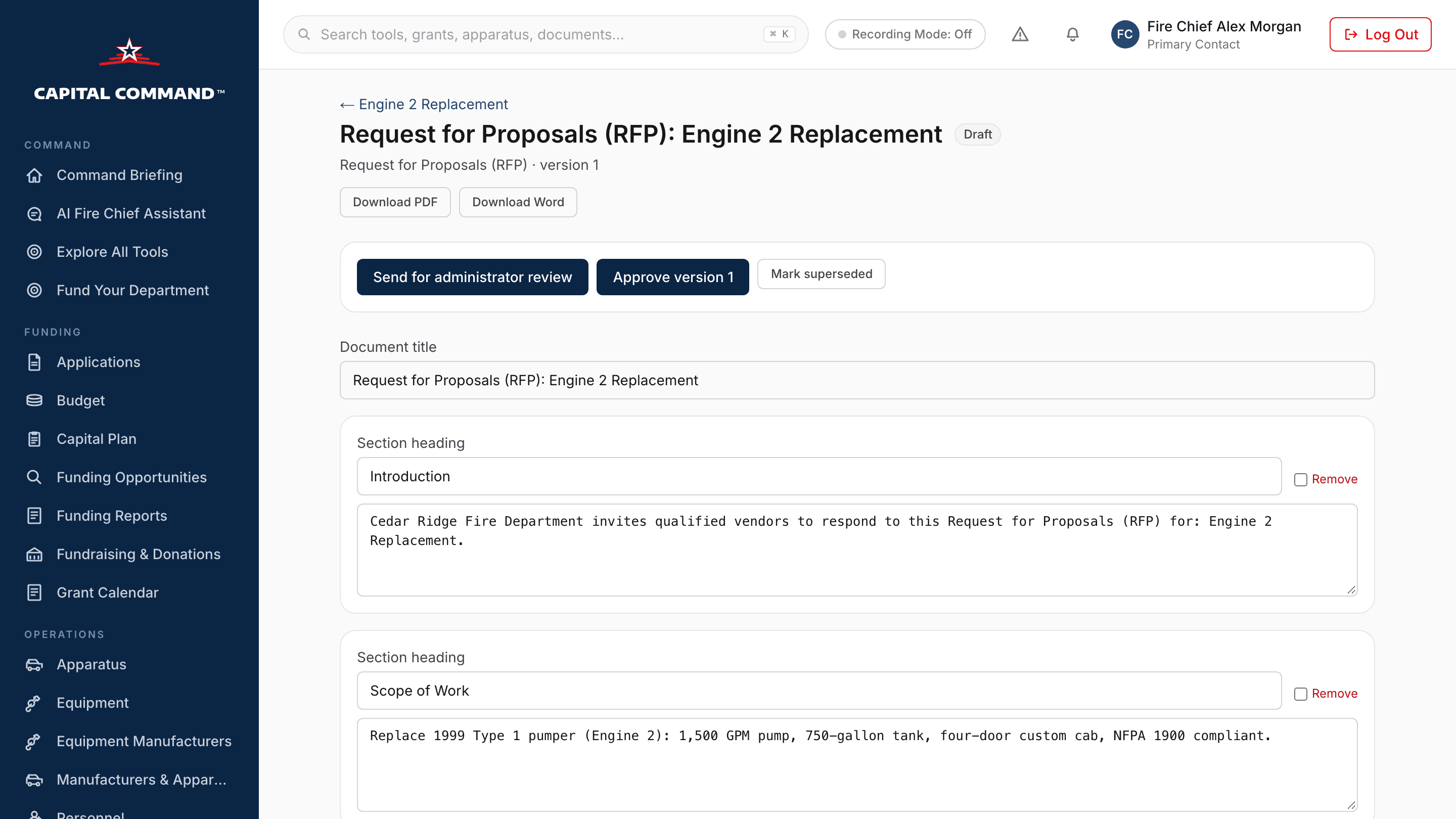
RFP builder with approval
Section-by-section editing, saved versions and a competition check that flags brand names without “or approved equal”. Officers prepare the document, and a department administrator approves it before it goes out as PDF or Word.
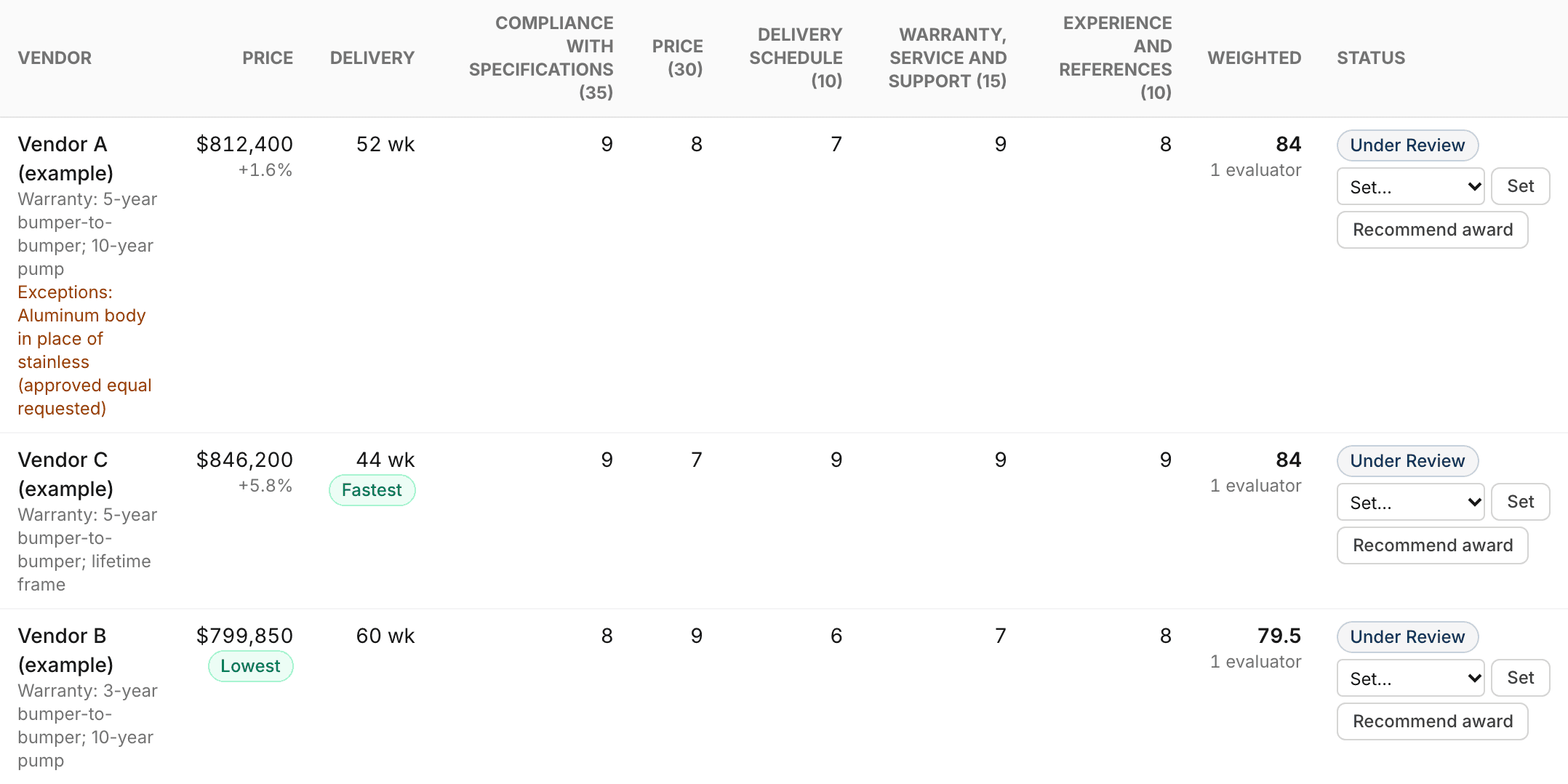
Side-by-side proposal comparison
Price, delivery, warranty, exceptions and each criterion's score, weighted and averaged across evaluators, with the lowest price and the fastest delivery marked. Export the bid tabulation for the council packet.
The vendors and prices shown are examples.
Capital Command Professional
Funding, capital planning and procurement in one subscription.
$125/month. Professional adds AI-drafted RFPs, IFBs, RFQs and specifications to your purchasing tools, alongside AI grant writing, multi-year forecasting and the rest of Capital Command's Professional features.
Fire apparatus purchasing, start to finish
Buying an engine, tanker, aerial or ambulance takes months of specification work, competition rules and council approvals, and build times keep getting longer. Capital Command keeps the whole purchase in one place: the capital need, the funding plan, the purchasing method, the RFP, the proposals, the evaluation and the council's decision, with every step recorded.
Government purchasing contracts for fire departments
Many fire departments can buy from contracts that a public cooperative has already competitively awarded, instead of running a full solicitation. Capital Command lists verified cooperative contracts for fire apparatus, ambulances, SCBA, turnout gear, radios and rescue and station equipment, along with each state's cooperative purchasing statute where it is covered. Whether a contract fits your purchase is always your department's decision, made under your own purchasing rules.
Fire department RFP software
Write performance-based specifications, keep brand names to “or approved equal,” publish weighted evaluation criteria and score proposals consistently across evaluators. These are the practices that make an RFP defensible. Capital Command builds them into every document and comparison.
Questions purchasing teams ask
- Is Capital Command a purchasing cooperative?
- No. Capital Command helps you find and evaluate contracts that public cooperatives such as Sourcewell and HGACBuy have already awarded. You buy through the cooperative and the vendor, under your own purchasing authority.
- Does a listed contract mean my department is eligible to use it?
- No. A listing means the contract is current on the cooperative's official page. Whether your department may use it depends on your state law, your local charter or purchasing policy, your membership with the cooperative and the contract's scope. Capital Command shows a checklist and, for covered states, the official statutes. It never decides eligibility for you.
- Can I publish an RFP or receive sealed bids through Capital Command?
- No. Capital Command prepares and approves your documents and exports them to PDF and Word. You publish solicitations and receive bids through your own process. Once proposals arrive, enter them to compare and score them.
- Where does the contract information come from?
- From each cooperative's official contract page. Contracts are re-checked weekly: expired contracts are removed, and anything that disappears is held for review instead of being shown. If a cooperative does not publish a contract's term, Capital Command says so rather than guessing.
- Which states have purchasing guidance?
- As of November 2026, Capital Command summarizes official cooperative purchasing statutes for 23 states, with citations and links to the legislature's own text, and more are being added. It is guidance, not legal advice.
- What does Professional add?
- Professional ($125/month) includes AI drafting of RFPs, IFBs, RFQs and specifications, along with Capital Command's other Professional tools. Contract search, templates, proposal comparison and approvals are available to every department.
Related guides
Capital Command provides contract discovery, document preparation and decision support. It is not a purchasing cooperative, does not publish solicitations or accept bids, and does not provide legal advice or determine eligibility. Contract details come from each cooperative's official pages and should be confirmed before purchase. See also our Trust Center.