Platform
One command center for your fire department's capital future.
Capital Command connects the needs your department already knows about with the funding intelligence, pursuit tracking, planning, and reporting it takes to act on them — from what you need through what you fund.
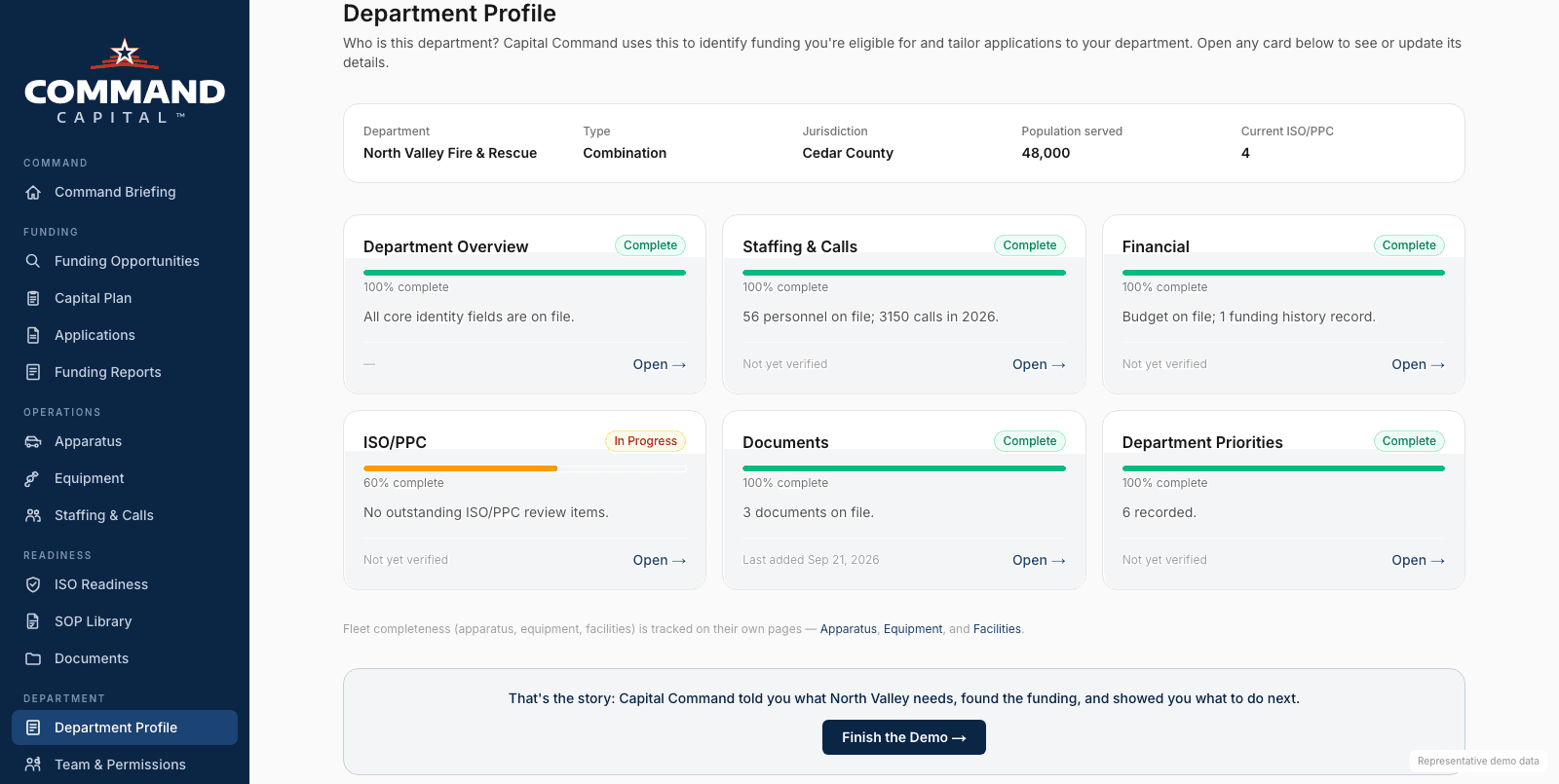
Understand the Need
Department Intelligence
The department profile: jurisdiction, staffing, population, ISO/PPC status, and more. Capital Command uses it to evaluate funding eligibility and tailor planning to your department specifically.
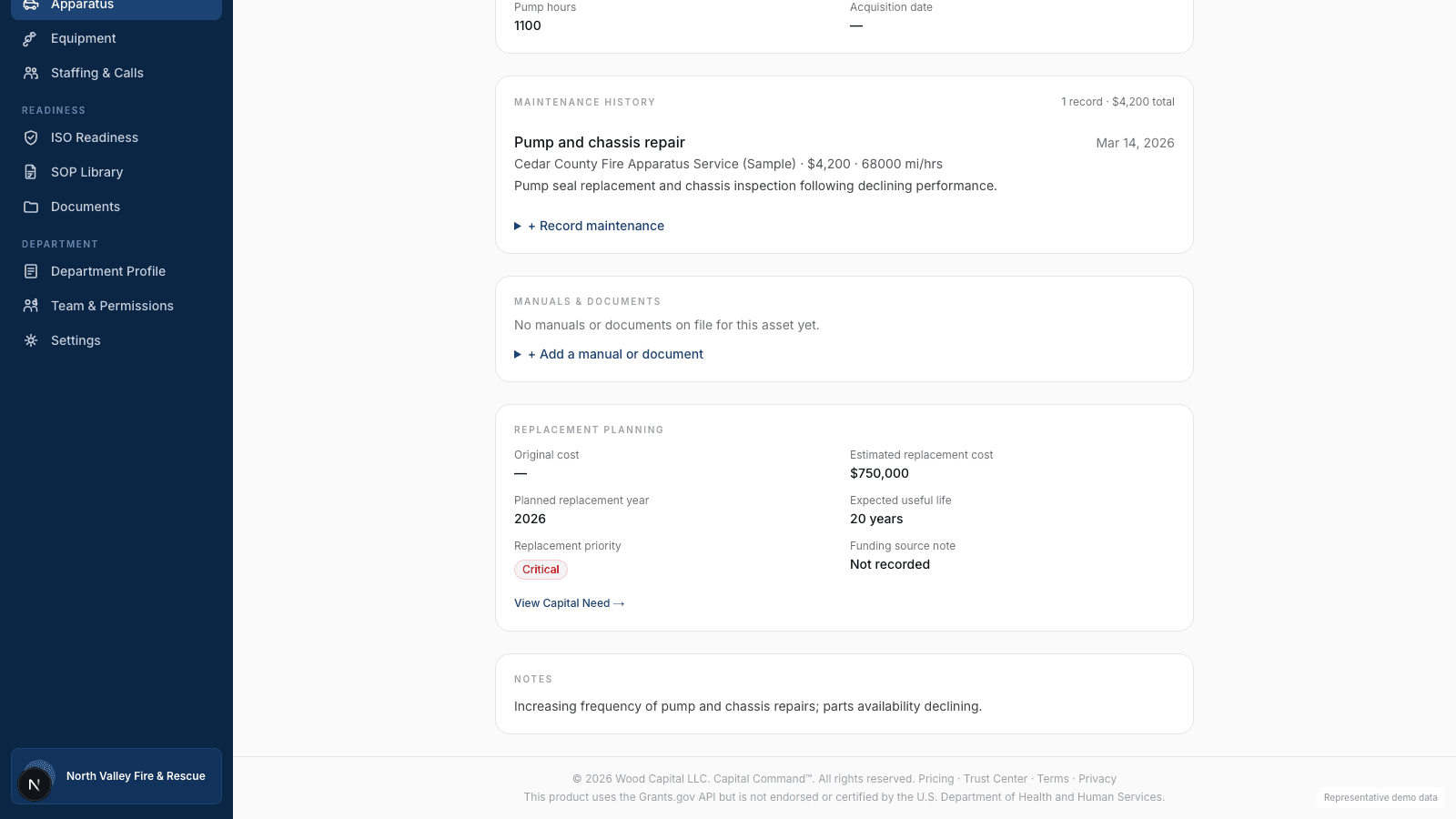
Understand the Need
Apparatus & Equipment
Apparatus and equipment records connect directly to replacement timelines and projected costs, so a fleet's aging assets become planned capital needs instead of surprises — and stay linked to that need's funding status even after funding is secured.
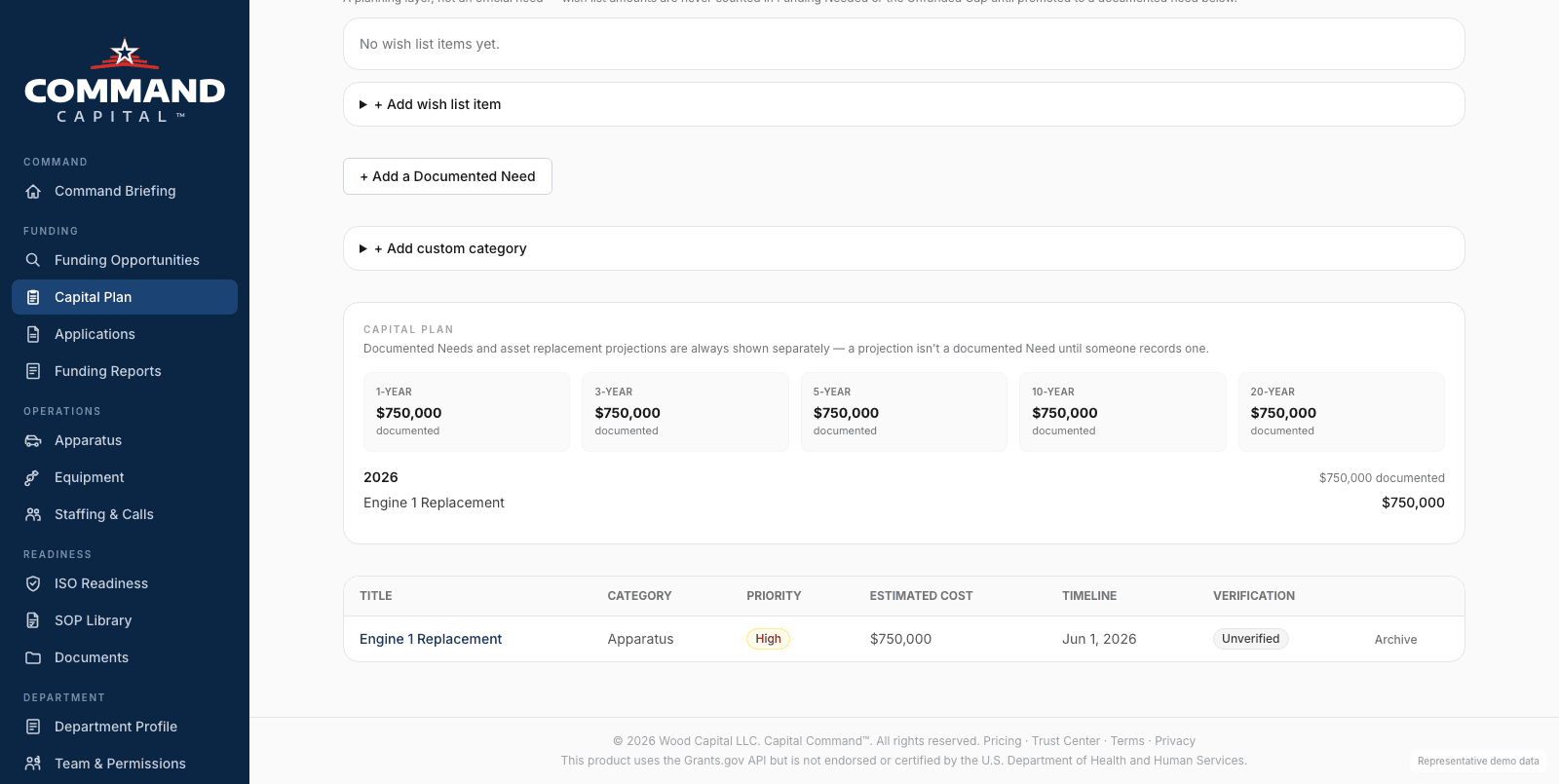
Plan the Cost
Capital Planning
A multi-year view of documented needs and projected replacements, organized by timeline, cost, and funding status, so the whole capital picture is in one place instead of scattered across spreadsheets.
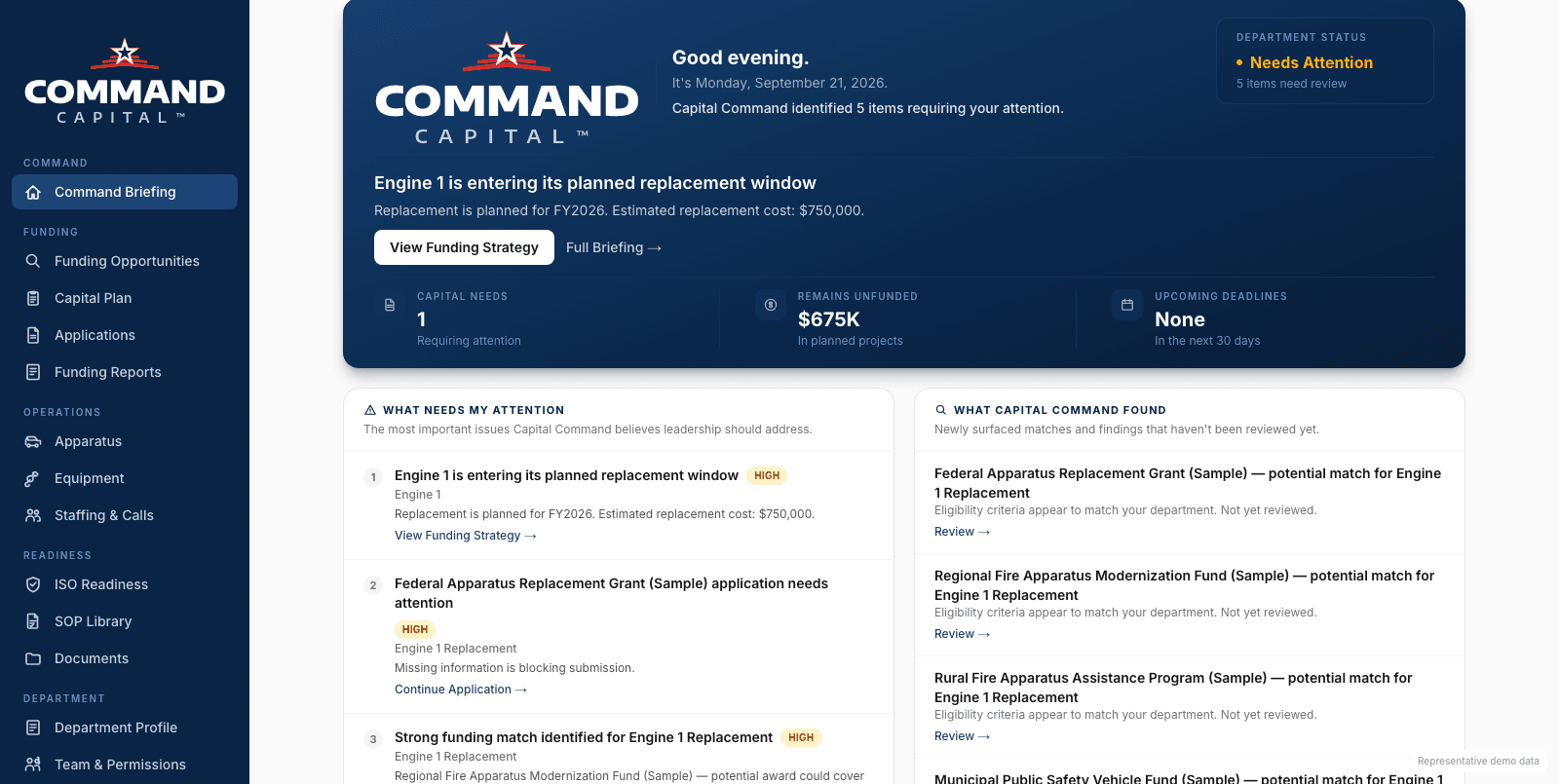
Find the Funding
Funding Intelligence
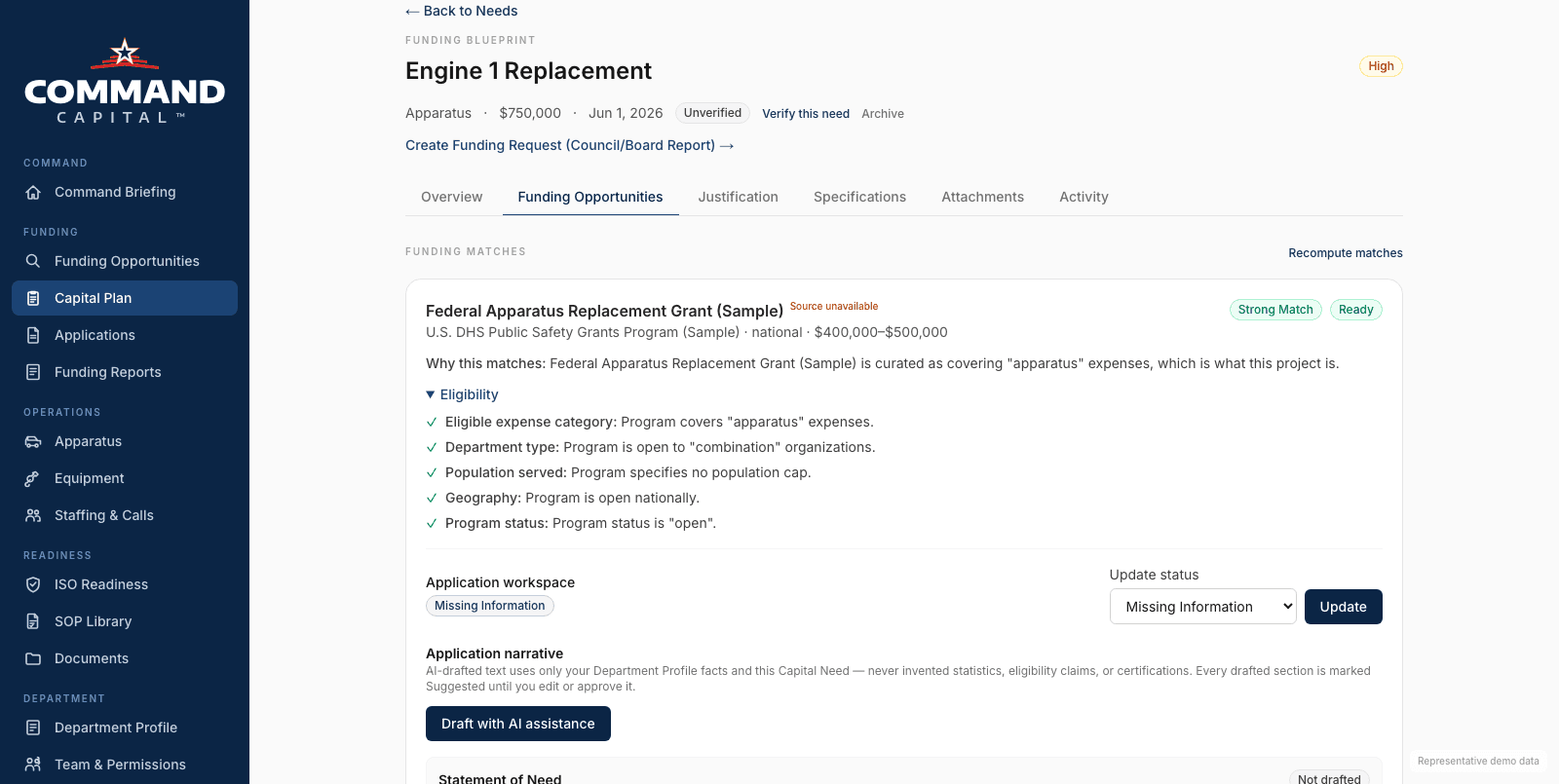
Capital Command evaluates a department's actual needs against relevant funding opportunities. It surfaces potential matches, explains why an opportunity may apply, and identifies what information is still missing before pursuing it.
Manage the Process
Application Management
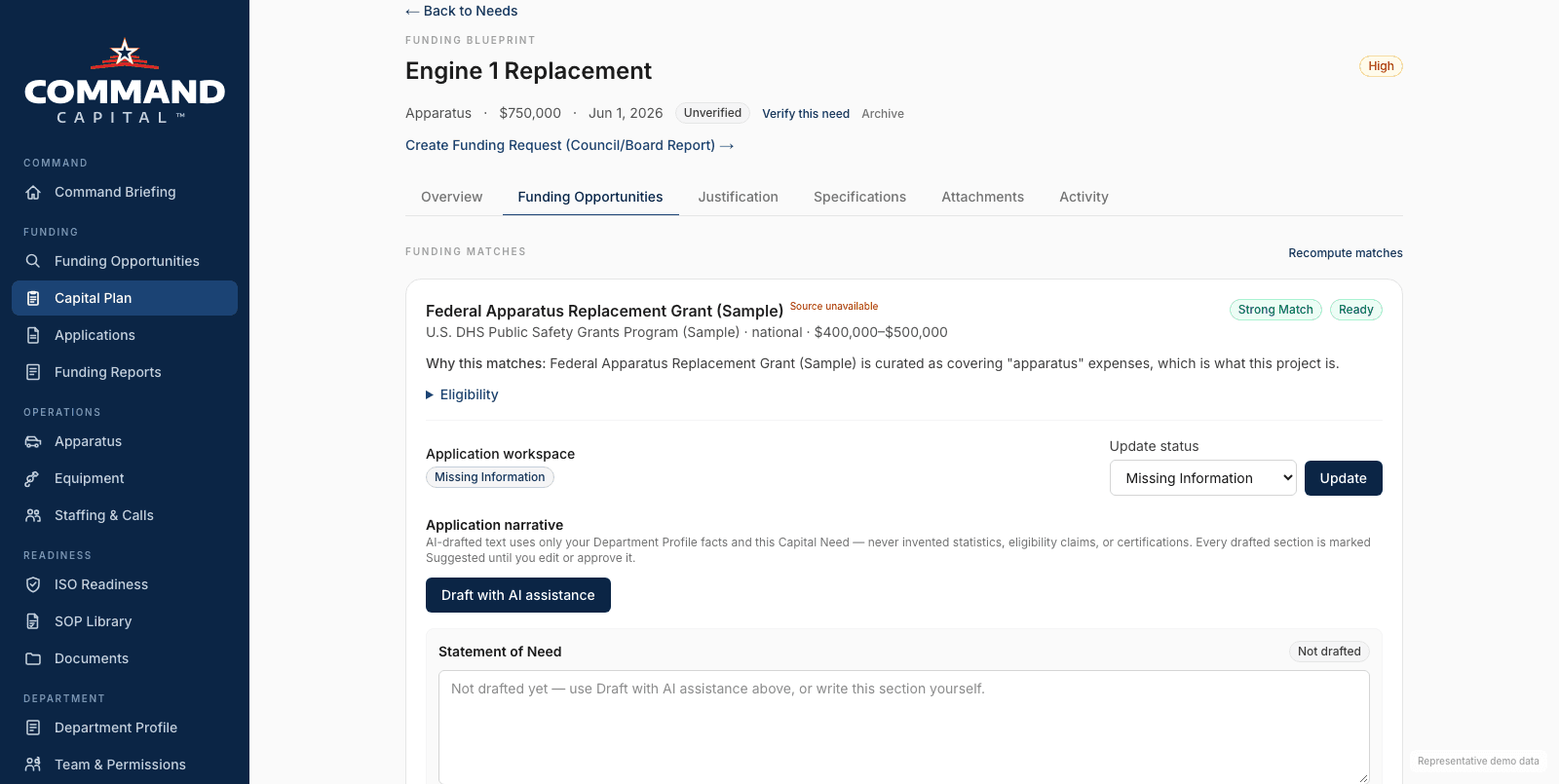
Each funding match has its own application workspace: what's missing, what's drafted, and what status it's in. AI can draft narrative language from your department's own already-entered information, but every draft is marked Suggested until a person reviews and approves it.
Manage the Process
Action Center
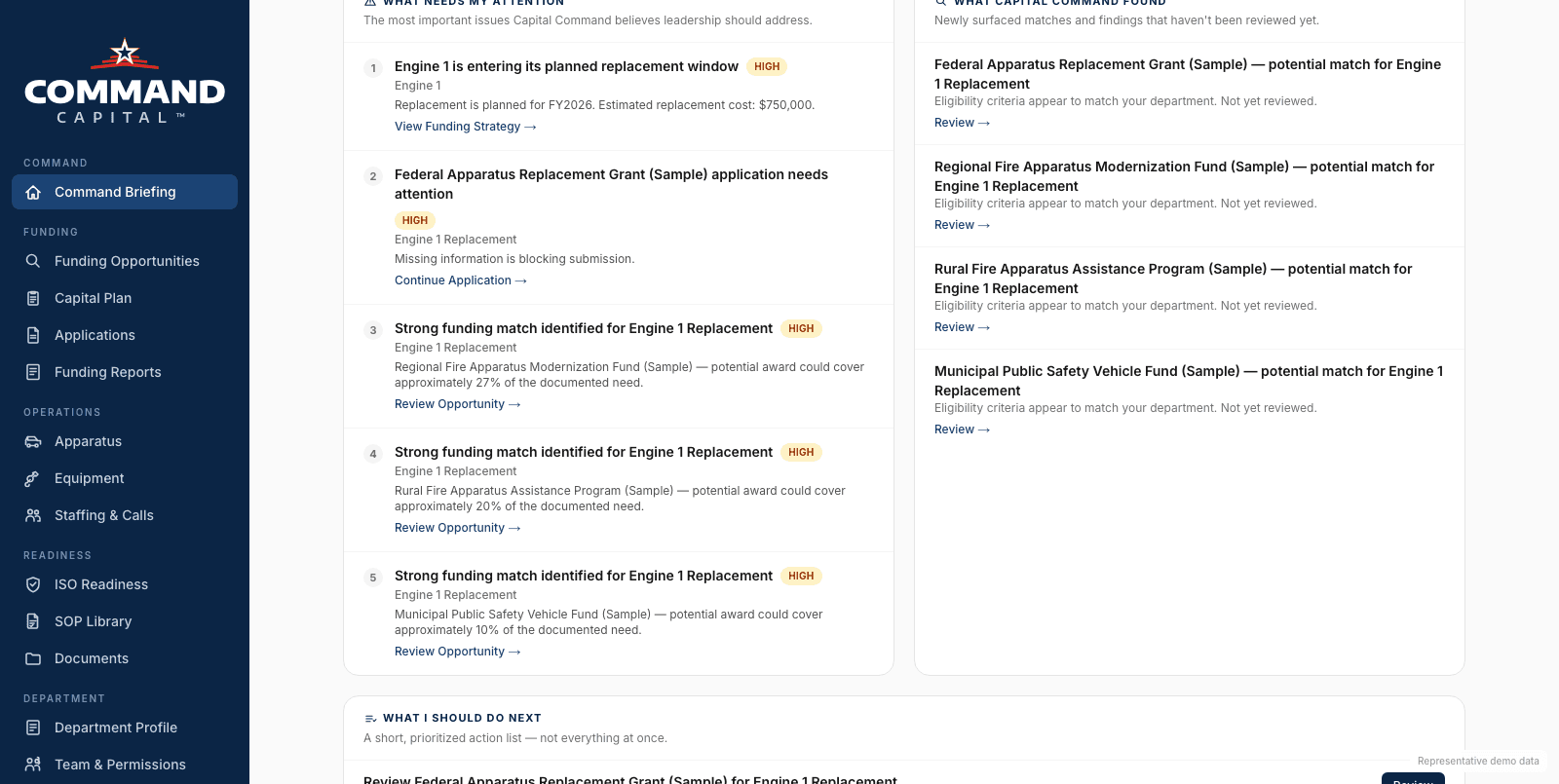
A running view of what needs attention: missing information, approaching deadlines, and the next concrete step for each capital need and funding pursuit — what's been applied for, what's pending, and what's still missing.
Make the Case
Leadership-Ready Reporting
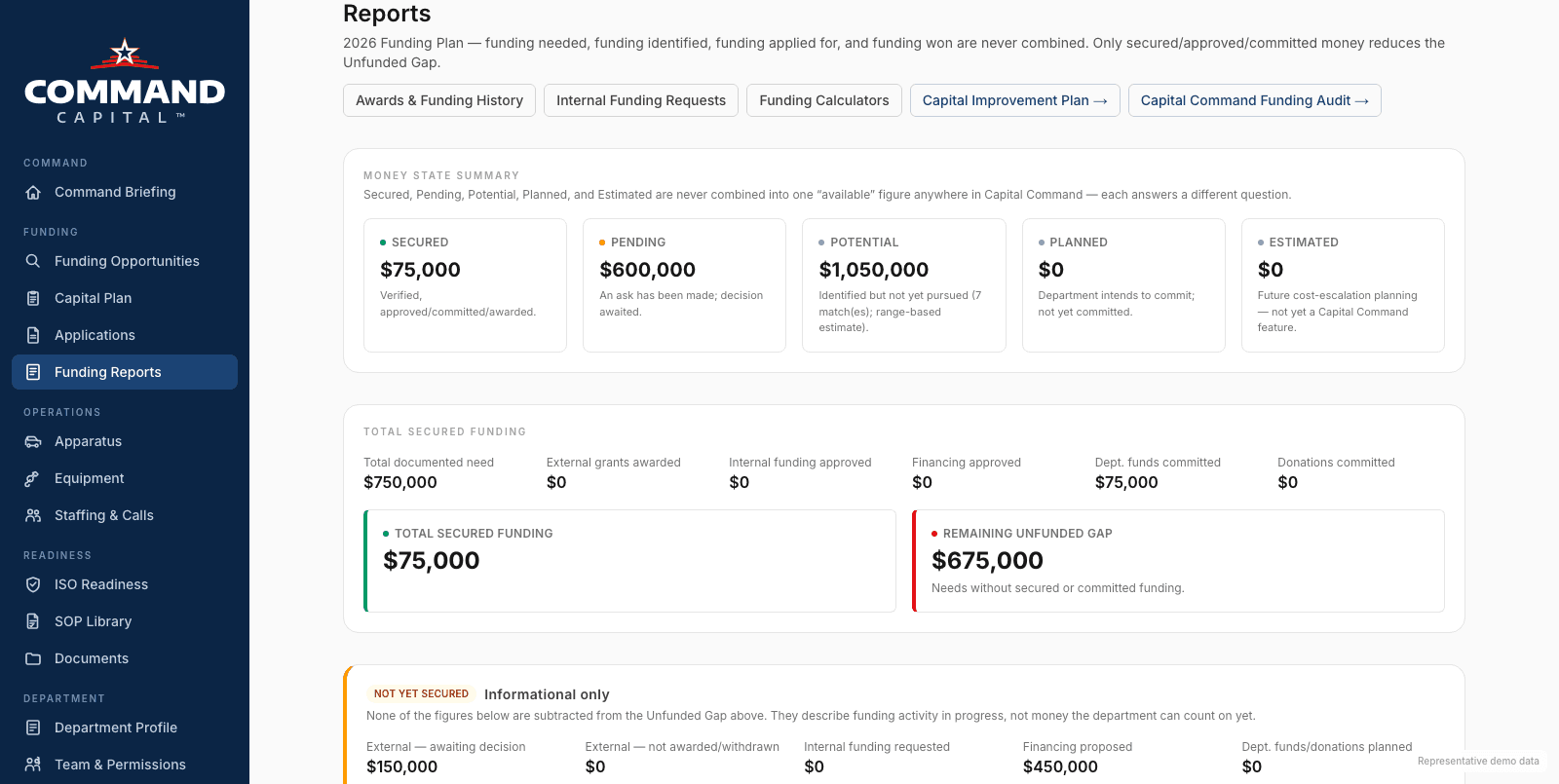
Department needs and funding strategy translated into reports built for boards, councils, and other decision-makers, not raw application data.
Budget Planning
Where the capital plan meets the budget.
Annual operating and capital budgeting tied to the same needs and apparatus records already in Capital Command.
Personnel Planning
Staffing, where it affects the plan.
Multi-year personnel forecasting alongside capital forecasting where the two connect — staffing informs ISO/PPC preparedness and long-term planning.
Fire department grant software, from match to award
Most departments manage grants with a spreadsheet, a shared drive and whoever remembers the deadline. Capital Command keeps the whole grant workflow in one place, tied to the needs and equipment records the department already maintains.
Find what fits. Funding matches are scored against each specific need — a pumper replacement, an SCBA refresh, a staffing gap — with the eligibility reasons shown, so the department pursues programs it can actually win. Federal programs, state programs and private foundations are all covered, and only programs confirmed against the funder's official source are presented as verified.
Manage the application. Each pursuit gets an application workspace with its status and approach, a guided interview, a budget and matching-funds worksheet, supporting documents, and a final review before submission. Drafts export to Word or PDF for the funder's own portal.
Draft with AI, grounded in your data. AI-assisted grant writing builds a first-draft narrative from the department's own call volume, equipment ages, budget and documented needs, and lists the open questions it could not answer instead of filling gaps with invented facts. Every draft is marked unverified until a person reviews it.
Track deadlines and results. The grant calendar shows application windows, including known annual programs, and the awards record keeps the department's grant history — what was applied for and what was funded — for the next application and the next budget conversation.
For firefighter grants such as the Assistance to Firefighters Grant (AFG) and SAFER, that means the needs assessment, budget figures and narrative all come from the same records, so the numbers agree across the application.
Related guides
Beyond One Department
Running more than one department? Municipal Command extends this same platform.
If your municipality has more than one department that needs this — fire, police, public works, parks, facilities — Municipal Command lets each one keep its own environment while municipal leadership gets one consolidated view across all of them.
Explore Municipal Command